
Impact-Site-Verification: b72fc9b6-cb22-48c7-9d6a-6976bfb10d4a
Introduction
A domain name is the address of your website on the Internet. It allows people to access your site easily without having to remember complex numbers. For example, instead of typing an IP address, users can simply type a name like techlinkedworld.com. In practice, the domain name is what makes a website easy to find, share, and remember.
For beginners, the simplest way to think about it is this: a domain name is your website’s online name and address. Without it, visitors would need to use numeric IP addresses, which are much harder to remember.
Table of Contents
What Is a Domain Name?
A domain name is a unique, human-readable web address used to access a website.

Every website is connected to an IP address, which is a numerical label assigned to a server. Since numbers are difficult to remember, domain names act as a readable shortcut.
For example:
- google.com points to a server IP 142.251.32.110
A domain name is not a website itself. It is simply the address used to access the website.
How Domain Names Work
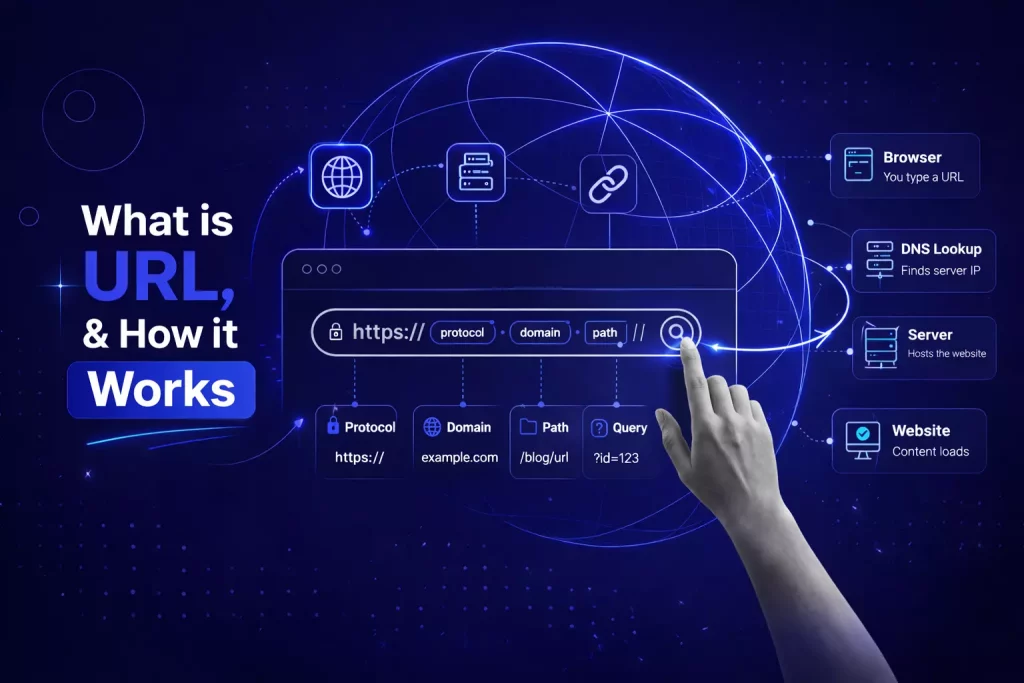
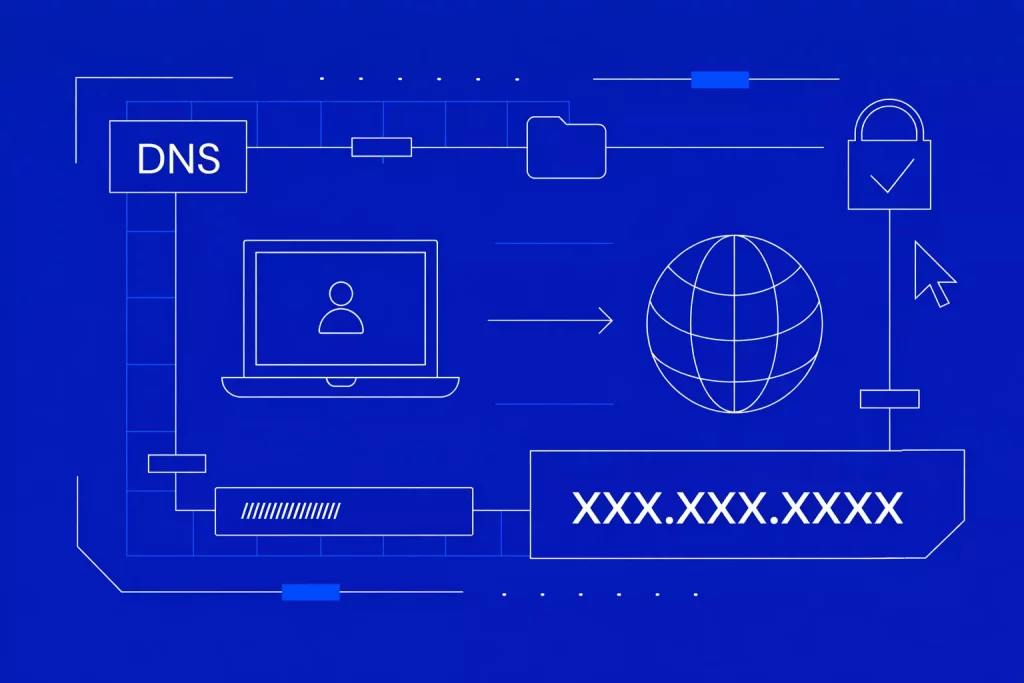
Domain names work through a system called DNS (Domain Name System). This system translates domain names into IP addresses.
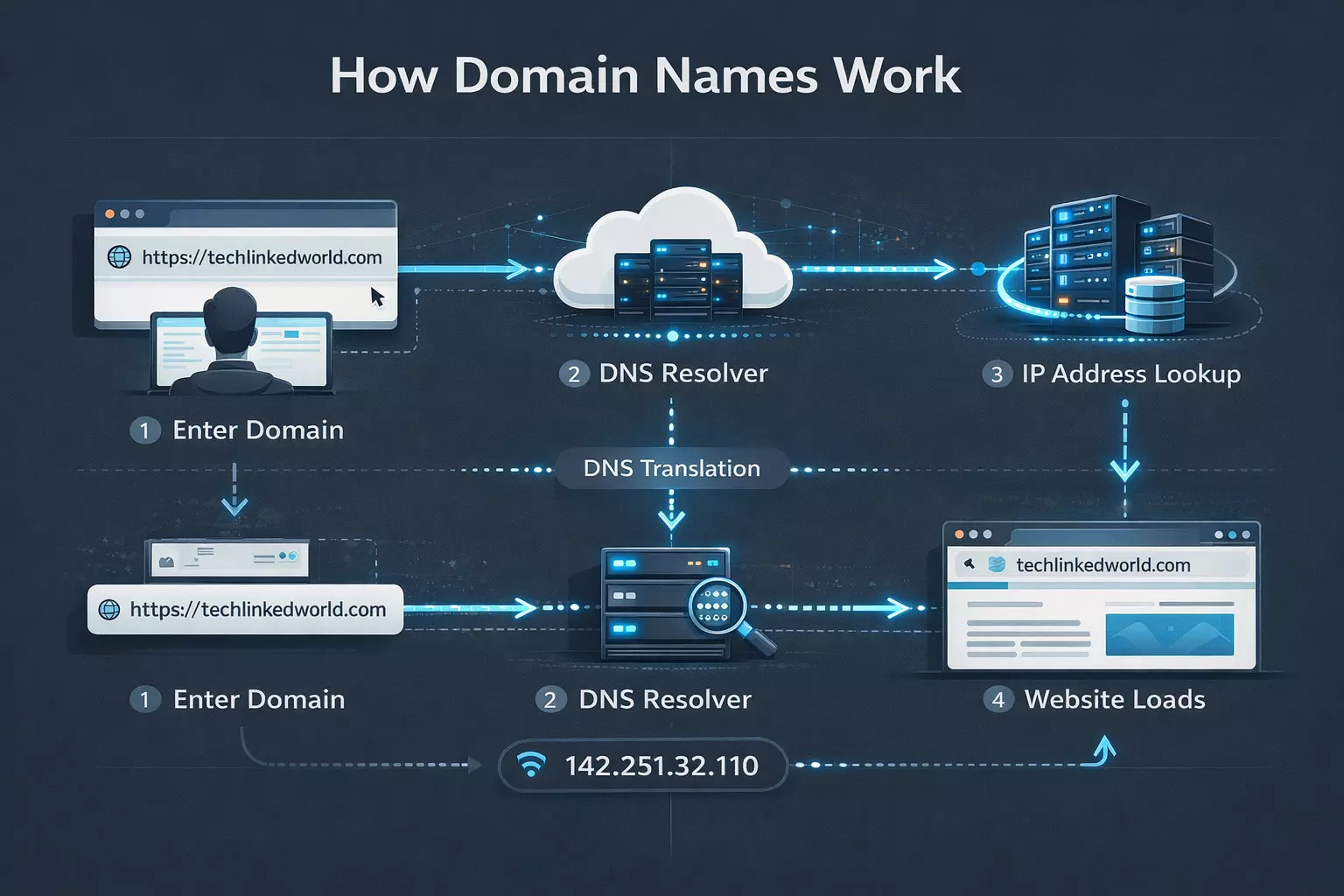
Here’s how it works:
- You enter a domain name in your browser
- The DNS finds the corresponding IP address
- Your browser connects to that server
- The website loads instantly
This process happens in milliseconds, making browsing seamless.
The Real History of Domain Names
The history of domain names begins with the growth of the early internet. Before DNS, host-to-address mappings were maintained in a single centralized file called HOSTS.TXT, which was becoming harder to manage as the network expanded. RFC 1034 explains that this pressure helped drive the development of the domain system.
In 1983, Jon Postel and Paul Mockapetris published RFCs that laid out the design of the DNS and the transition away from the older naming system. In 1984, they set up the first root server at the University of Southern California’s Information Sciences Institute to test and develop the system further.
A major milestone came on March 15, 1985, when symbolics.com became the first second-level .com domain introduced online. ICANN marks that registration as the beginning of the modern internet era of domain names.
Later, ICANN was created from a 1998 U.S. government commitment to transfer management of the domain name system to a new nonprofit with global participation. That made domain governance more formalized and internationally coordinated.
Parts of a Domain Name
Every domain name is constructed from various components that work together like the elements of a proper address. Just as a home address includes a street name, city, and country, a domain name features its own definitive hierarchy of levels. Understanding this is essential for mastering the structure of web addresses.
Top-Level Domain (TLD)
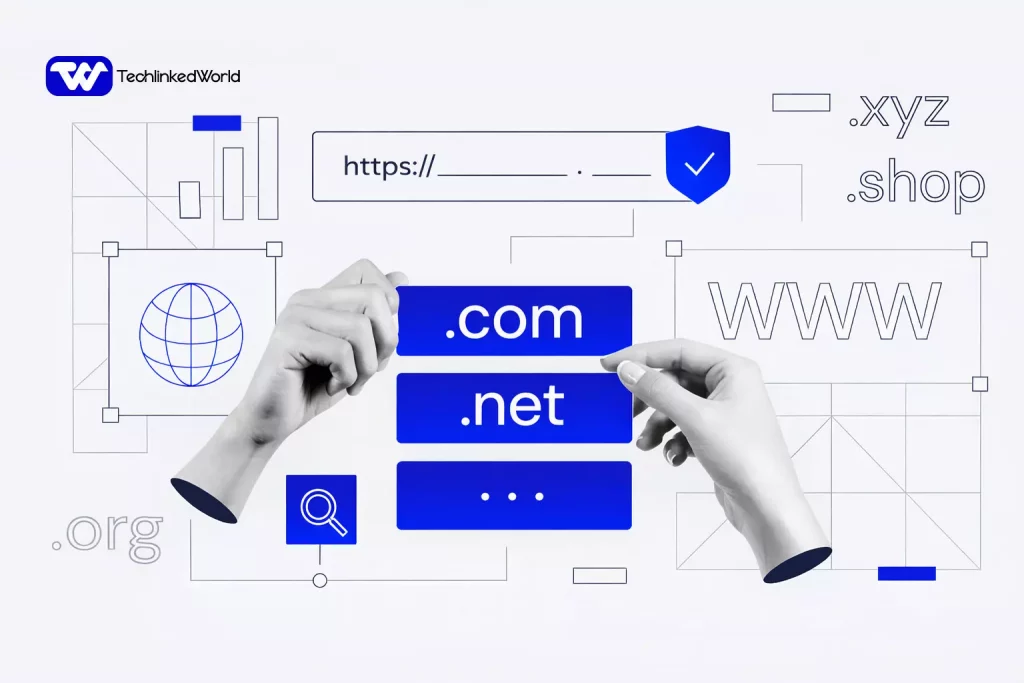
The top-level domain(TLD) is the last part of a domain name — this section that comes after the final dot. For example, in google.com, the .com is the top-level domain (TLD).
There are a few primary types of TLDs you’ll discover online:
- Generic TLDs (gTLDs): These are available for anyone to register. Most popular examples include .com, .net, and .org. Industry-specific domain extension options like .tech or .shop are also becoming more common.
- Country code TLDs (ccTLDs): Two-letter extensions represent specific countries or regions. For example, .us is for United State of America, .uk for the United Kingdom, .eu for the European Union, and .de for Germany. Many businesses use these extensions to target local audiences.
- Sponsored TLDs: Certain domain extensions are designated for specific groups or purposes. Examples include .gov for U.S. government websites, .edu for accredited educational institutions, and .mil for the U.S. military. Additionally, some extensions, like .travel, are available to organizations within specific industries.
All top-level domains (TLDs) are managed by the Internet Corporation for Assigned Names and Numbers (ICANN). This organization approves new extensions, oversees domain registries like Verisign (which manages .com and .net).
The TLD you choose influences how people perceive your website. For example, .com is typically viewed as professional and global, while a country-specific TLD like .us can make your site more relevant to local visitors. This helps visitors instantly understand what your site offers, even if they have never heard of your brand before.
Second-Level Domain (SLD)
The second-level domain (SLD) is the portion of a web address that comes directly before the top-level domain (TLD). In the example www.techlinkedworld.com, “techlinkedworld” is the SLD. This part of the address is customizable and typically represents a brand or project name.
Effective second-level domains are short, memorable, and closely related to your brand or purpose. For example:
- youtube.com → “youtube” is the SLD.
- amazon.co.uk → “amazon” is the SLD.
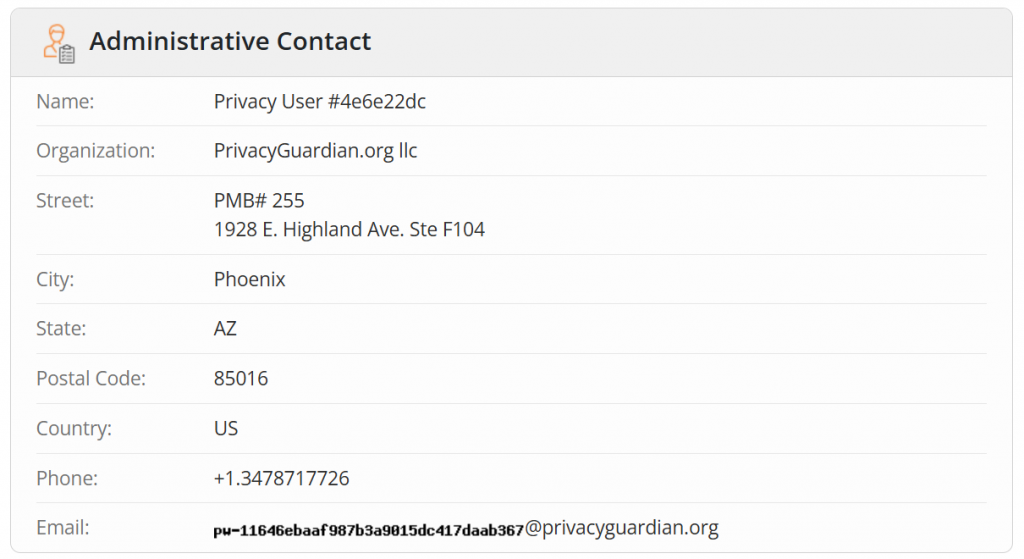
If your first choice of a domain name is already taken, you can use WHOIS lookup tools to find the current owner’s information or register the same name with a different extension.
In these situations, you have the option to request contact information for the domain name owner from the registrar. However, if the owner is not interested in selling or if their asking price is beyond your budget, it would be best to register your domain name with a different top-level domain (TLD).
Third-level domain
The third-level domain, commonly referred to as a subdomain, appears before the second-level domain (SLD). While “www” was traditionally the most common subdomain, many websites now operate effectively without it.
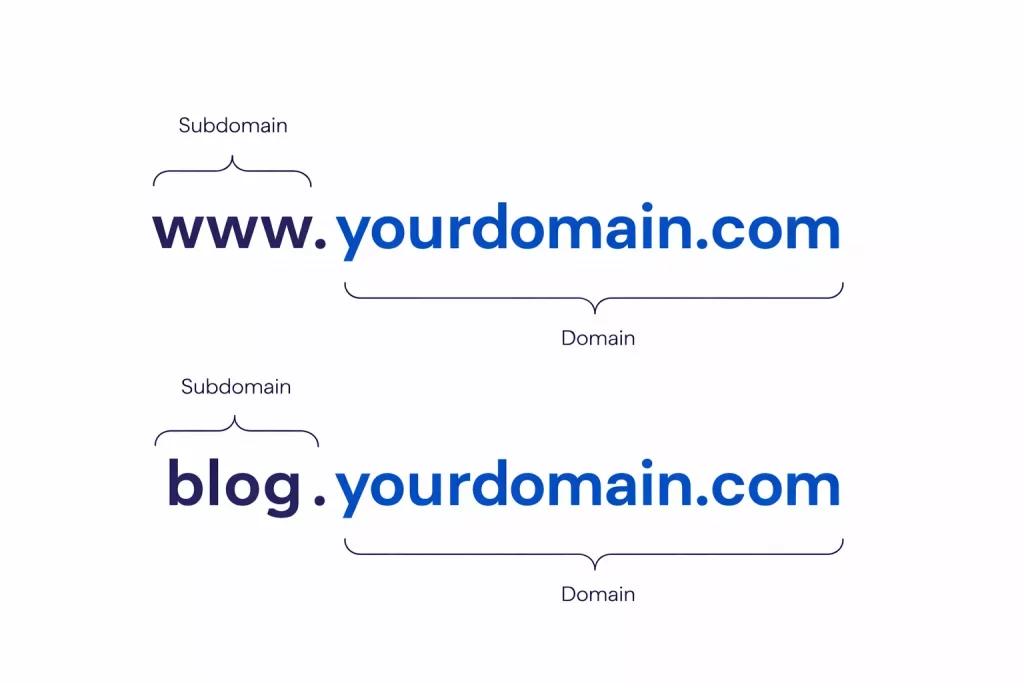
Subdomains are frequently used to organize content or establish separate sections of a website. Examples include:
- blog.yourdomain.com – for articles and updates
- store.yourdomain.com – for an online shop
- support.yourdomain.com – for documentation and help resources
Large websites effectively utilize subdomains for localization. For example, Wikipedia clearly distinguishes its language versions with en.wikipedia.org for English and de.wikipedia.org for German.
If you find yourself overwhelmed by the multitude of choices, an AI domain name generator is the best solution, offering quick options that expertly balance length, keywords, and extensions.
Domain Name vs Web Hosting
A domain name and web hosting are different.
The domain name is the address. Hosting is the server space where the website files live. You need both for a website to work properly.
A simple way to remember it is this: the domain is the location, and hosting is the building. Without hosting, there is nothing to load. Without a domain, visitors do not know where to go.
Think of it like:
- Domain = Address
- Hosting = House
You need both to run a website.
What is the difference between a domain name and a URL?
A domain name is only one part of a URL. A full URL can include the protocol, domain name, domain extension, and page path. For example, techlinkedworld.com is the domain, while https://techlinkedworld.com/web-hosting/domain/what-is-a-domain-name/ is the full URL.
Understanding the difference between a domain name and a URL is essential for beginners.
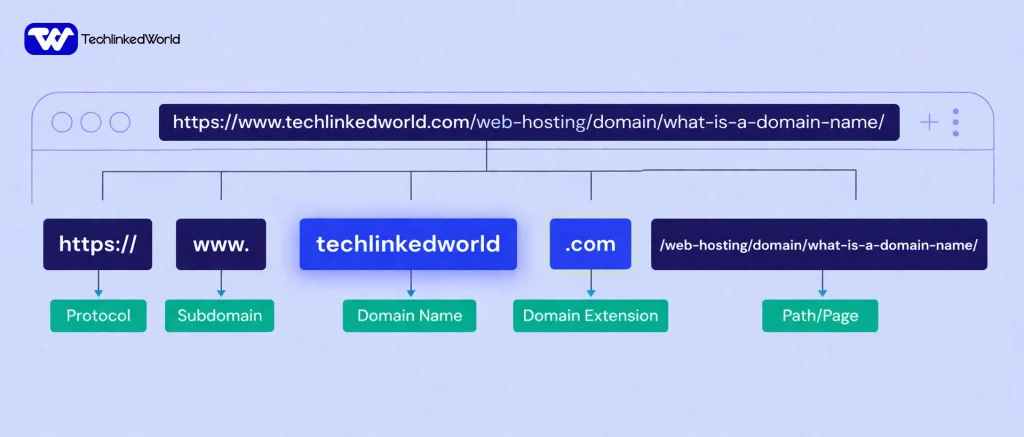
Here’s the live example of how an entire URL work:
- Protocol=https://
- Subdomain=www.
- Domain Name = techlinkedworld
- Domain Extension: .com, or .net
- Path/Page = /web-hosting/domain/what-is-a-domain-name/
As shown above, the domain name is only a portion of the full URL, which also includes protocol, subdomain, domain name, domain extension, and web page path.
Why a Good Domain Name Is Important
A good domain name helps people remember your website, trust your brand, and return later without confusion. ICANN’s glossary describes registries and registrars as part of the system that stores and routes domain records, which is why domains are a real piece of internet infrastructure, not just a brand label.
For businesses, a strong domain also supports professionalism. Visitors usually trust a clean, simple web address more than a complicated or awkward one.
How to Choose a Good Domain Name
The best domain names are short, readable, and easy to type. They should match your brand, avoid unnecessary hyphens, and stay simple enough that users can remember them after hearing them once.
A strong domain name usually does three things well. It is easy to spell, easy to say, and easy to trust. That combination matters more than forcing extra keywords into the name.
Example:
- Good: freshbakery.com
- Bad: best-fresh-bakery-online123.com
Common Mistakes to Avoid
Many beginners choose domain names that are too long or too hard to spell. Others pick names that look clever but are difficult to remember, which hurts branding.
Another common mistake is forgetting that a domain must be renewed. If a domain is not renewed, it can stop working and may eventually become available for someone else to register.
Is a Domain Name Important for SEO?
Yes, but not in a magical way. A domain name can help with branding, recognition, and trust, which may support repeat visits and better click behavior. The real SEO power still comes from useful content, clean site structure, and strong user experience.
So the domain name matters, but it should be treated as the foundation, not the entire SEO strategy.
Can You Own a Domain Forever?
No. Domain names are rented, not permanently owned.
You typically register a domain for 1–10 years and must renew it regularly. If you fail to renew, the domain may become available to others.
Domain Name Best Practices for 2026
- Prioritize brand over keywords
- Choose .com when possible
- Keep it globally understandable
- Check social media availability
- Avoid trends that may age quickly
Conclusion
A domain name is your website’s identity on the internet. It started as a technical solution to a growing networking problem, then became one of the most important parts of branding, navigation, and online trust.
If you are starting a website in 2026, choose a domain name that is simple, memorable, and aligned with your brand. That choice will help your site feel professional from day one.
FAQs (What is a Domain Name)
What is a domain name in simple terms?
A domain name is the address people type into a browser to visit a website. It replaces complex IP addresses with easy-to-remember words like techlinkedworld.com.
How do domain names work?
Domain names work through DNS, which translates the domain into an IP address. This allows browsers to locate and load the correct website server.
What is the difference between a domain and hosting?
A domain is your website’s address, while hosting stores your website files. Both are required to make a website accessible online.
A simple way to remember it is this: the domain is the location, and hosting is the building. Without hosting, there is nothing to load. Without a domain, visitors do not know where to go.
Think of it like:
Domain = Address
Hosting = House
Which domain extension is best?
The .com extension is the most popular and trusted globally. However, country-specific extensions like .us, .uk, .jp, .ca, .de, and .bd are better for local audiences.
Can I create a website without a domain name?
Yes, but it is not recommended. Without a domain, your site may use a subdomain, which looks less professional and harder to remember.
Is a domain name the same as a website?
No. A domain name is the address, while the website is the content people see. The domain points users to the server where the website is stored.
Can a good domain name help SEO?
A domain name can support SEO indirectly by improving trust, branding, and repeat visits. However, content quality and website authority matter much more for rankings.