
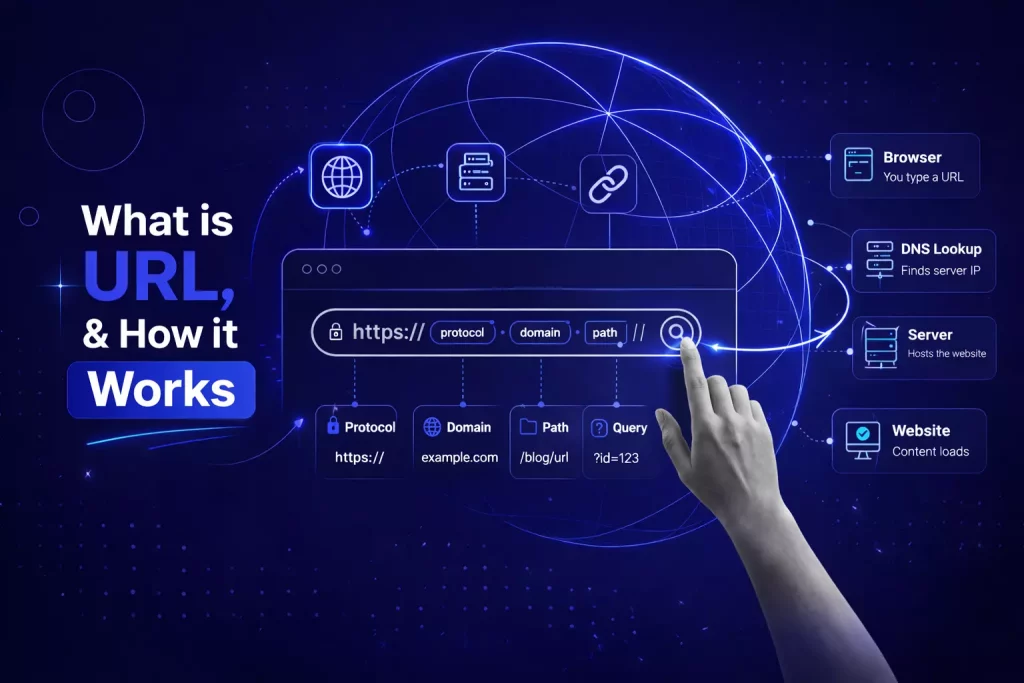
A URL (Uniform Resource Locator) is the complete web address that tells your browser exactly where to find a specific resource on the internet. Every webpage, image, video, PDF, and downloadable file accessible online has its own unique URL. When you type an address into your browser or click a hyperlink, the URL is the precise instruction that guides your browser to the right destination.
Most people interact with URLs dozens of times a day without thinking about what they actually contain. Understanding the anatomy of a URL, however, pays real dividends. It helps you navigate the web more confidently, recognize suspicious links before clicking them, build better-structured websites, and write content that performs meaningfully in search results.
We’ll understand what a URL is
What Does URL Stand For?
URL stands for Uniform Resource Locator. Tim Berners-Lee, the inventor of the World Wide Web, introduced the term in 1994 as part of the foundational standards for the web. Each word carries deliberate meaning. “Uniform” means every URL follows the same standardized format, regardless of the server or country it points to. “Resource” refers to whatever is being identified, whether a webpage, an image, or a document. “Locator” means the address actively tells you where to find that resource, not merely what it is called.
URLs belong to a broader family of identifiers called URIs (Uniform Resource Identifiers). All URLs are URIs, but not all URIs are URLs. In everyday web work, the distinction rarely matters, and the term URL is universally understood and appropriate in virtually every context.
The Complete Anatomy of a URL
A URL can contain up to seven distinct components, though most everyday web addresses use only three or four of them. Learning each part individually makes the whole structure far easier to read and work with.
Here is a complete example URL to reference throughout this section:
Every segment of that address has a specific name and a specific job to do.
The Scheme (Protocol)
The scheme is the very first part of any URL, appearing before the colon and the two forward slashes. It tells the browser which communication protocol to use when connecting to the server.
The two schemes you will encounter on almost every website are HTTP and HTTPS. HTTP, which stands for Hyper Text Transfer Protocol, is the original standard for transferring web data. It sends information in plain text, meaning the connection is unencrypted and theoretically interceptable by third parties. HTTPS, which stands for Hyper Text Transfer Protocol Secure, is the encrypted version. It uses TLS (Transport Layer Security) to protect data traveling between the browser and the server.
HTTPS is no longer optional for serious websites. Google began using it as a ranking signal in 2014, and modern browsers like Chrome explicitly label HTTP sites as “Not Secure,” which is immediately visible to users and damages trust. Any website that handles logins, personal data, or payments must use HTTPS without exception.
Other schemes exist for specialized purposes. The ftp:// scheme handles file transfers, mailto: creates email links, and tel: enables clickable phone number links on mobile devices. In the example URL, the scheme is “https://” and it signals a fully encrypted connection.
The Subdomain
After the scheme comes the subdomain, appearing before the main domain name. The most common subdomain is “www,” which stands for World Wide Web. It was originally used to distinguish web servers from other types of servers on the same network, such as mail servers or FTP servers.
Today, “www” is largely a convention rather than a technical necessity. Most websites serve identical content at both “www.example.com” and “example.com,” using a redirect to keep them consistent. Other subdomains carry functional significance: “blog.example.com” might host a separate publication, “shop.example.com” might run an independent e-commerce platform, and “support.example.com” might serve a dedicated help center.
Search engines treat subdomains as separate entities from the root domain, which is an important architectural consideration for SEO. Content placed on a subdomain does not automatically inherit the ranking authority of the main domain.
The Domain Name
The domain name is the central identity of a website, the part people recognize and remember. In the example URL, “example” is the domain name. It is what you register through a domain registrar, and it is what your brand is known by on the internet.
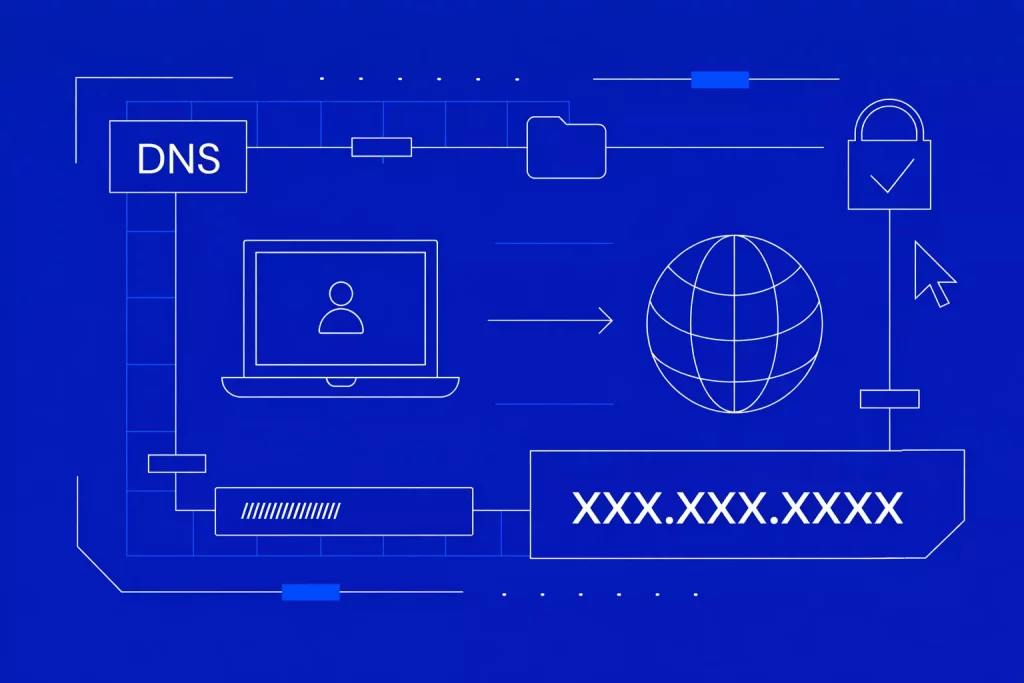
The domain name works in combination with the Domain Name System (DNS) to translate the human-readable address into the numerical IP address of the hosting server. Without DNS performing that translation behind the scenes, you would need to type a string of numbers like “93.184.216.34” every time you wanted to visit a website.
The Top-Level Domain (TLD)
Immediately after the domain name comes the top-level domain, commonly called the TLD or domain extension. In the example, “.com” is the TLD. It is the final segment of the domain portion of the URL.
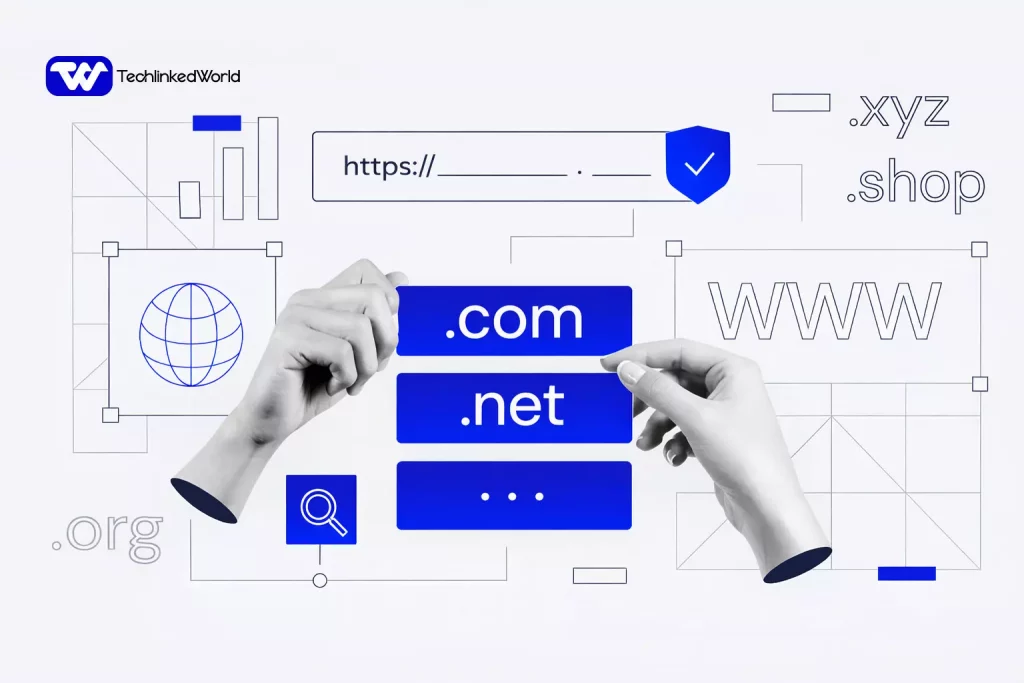
Generic TLDs like .com, .org, and .net are the most globally recognized. The .com extension remains the most trusted choice for commercial websites worldwide. Country-code TLDs like .uk, .de, .au, and .bd are assigned to specific nations and are often used by businesses targeting regional audiences. Since 2012, a large category of new generic TLDs has expanded the options considerably, including .io, .co, .tech, .store, and hundreds of others.
Together, the subdomain, domain name, and TLD form the hostname, which collectively identify the server that hosts the resource.
The Port Number
The port number appears after the hostname, separated by a colon. In the example, it is “:443.” Ports are essentially communication channels on a server, and different services use different port numbers by default. Port 80 is the standard for HTTP traffic, and port 443 is the standard for HTTPS.
Because browsers automatically use the correct default port for each protocol, you rarely see port numbers in everyday URLs. They typically appear only in development environments, internal tools, or applications running on non-standard ports.
The Path
The path begins after the hostname and port, starting with a forward slash. In the example, the path is “/blog/what-is-a-url.” It tells the server which specific resource to retrieve.
Paths often reflect a website’s content structure. In this case, “blog” indicates a section of the site, and “what-is-a-url” identifies the specific page within it. On modern CMS platforms like WordPress, the path is defined by the page’s URL slug rather than a literal folder on the server.
From an SEO standpoint, the path is one of the most important URL components to get right. Including relevant keywords in the path, using hyphens to separate words, and keeping the path concise and descriptive all contribute to better search visibility and a cleaner user experience. A path like “/blog/what-is-a-url” communicates the page’s topic to both the user and the search engine before a single word of content is read.
The Query String
The query string begins with a question mark and contains one or more parameters that pass additional data to the server. In the example, the query string is “?category=basics&lang=en.”
Each parameter is a key-value pair joined by an equals sign. Multiple parameters are separated by an ampersand. Query strings are most commonly used to filter e-commerce search results, pass UTM tracking parameters in analytics campaigns, customize displayed content based on user settings, and transmit form data between pages.
Search engines can crawl URLs with query strings, but those URLs are generally not indexed as separate pages. Proper configuration in Google Search Console helps control how parameters are treated during indexing, preventing duplicate content issues.
The Fragment (Anchor)
The fragment, also called the anchor, appears at the very end of a URL and begins with a hash symbol. In the example, the fragment is “#faq.”
Unlike every other URL component, the fragment is never sent to the server. It is processed entirely by the browser. Its job is to scroll the page to a specific section identified by a matching HTML anchor. Clicking a link ending in “#faq” will jump directly to the FAQ section of the page, provided that section has the matching ID attribute in the HTML.
Fragments are widely used in long-form articles, documentation pages, and tables of contents. They meaningfully improve the experience for readers who want to navigate directly to the section most relevant to them.
Absolute URLs vs. Relative URLs
Web developers work with two types of URLs: absolute and relative, and understanding the difference matters both for development and for SEO.
What is Absolute URLs?
An absolute URL contains the full address, including the scheme, domain, and path. It works from anywhere on the internet and always points to the same resource regardless of context. For example: https://techlinkedworld.com/web-hosting/domain/what-is-dns-how-it-works/
What is relative URL?
A relative URL omits the scheme and domain and contains only the path. It works in relation to the current page’s location on the same server. For example: /web-hosting/domain/what-is-dns-how-it-works
Relative URLs are common within a website’s internal code because they are shorter and easier to maintain. If the domain ever changes, relative links update automatically. For content shared externally, such as in emails, backlinks, or social media posts, absolute URLs are always necessary because there is no implied domain context.
What Makes a Good URL?
Not all URLs serve users and search engines equally well. A well-structured URL is short, descriptive, and immediately communicates the page’s content. A poorly structured one creates confusion, suppresses click-through rates, and can quietly undermine search rankings.
A good URL is generally under 75 characters. It uses words that accurately reflect the page’s content. It separates words with hyphens rather than underscores or encoded spaces. It uses lowercase letters throughout, because most servers treat URLs as case-sensitive. And it avoids unnecessary parameters, session IDs, or meaningless strings of auto-generated characters.
Consider two URLs pointing to the same page:
Good: https://www.techlinkedworld.com/what-is-a-domain-name Bad: https://www.techlinkedworld.com/page?id=4872&ref=38&session=xyt99
The first version tells both the user and the search engine precisely what to expect before the page even loads. The second communicates nothing useful. In competitive search results, that difference in clarity genuinely influences whether a user clicks.
How URLs Affect SEO
URLs are a confirmed but lightweight ranking factor. Google uses the words in a URL to develop an early understanding of a page’s topic, which is especially helpful for newer pages that have not yet accumulated links or engagement signals.
More practically, URLs affect user behavior in measurable ways. A readable, descriptive URL earns higher click-through rates from search results because users can assess the page’s relevance before visiting. A trustworthy URL structure also reduces bounce rates, because visitors arrive with accurate expectations of what they will find.
URL canonicalization is another SEO consideration worth understanding. If your content is accessible at multiple URLs, for example, at both “www.example.com/page” and “example.com/page,” search engines may interpret them as duplicate content and split ranking signals between them. A canonical tag (rel=”canonical”) or a 301 redirect consolidates those signals to the correct, preferred version of the URL.
URL Encoding: Why Some Addresses Look Strange
Sometimes a URL contains percent signs followed by letters and numbers, such as “%20” or “%2F.” This is called URL encoding, or percent encoding. It is the standardized method for representing characters that are not permitted in a standard URL.
Spaces, for example, are invalid in URLs. When a space appears in a web address, it is encoded as “%20” in the path or sometimes as “+” in a query string. Special characters like &, =, and # have specific structural functions in URLs, so when they appear as raw data rather than as structural markers, they must be encoded to avoid misinterpretation.
Browsers and web frameworks handle URL encoding automatically in almost all situations. Understanding it becomes useful when you are debugging broken links, reading raw analytics data, or constructing URLs programmatically in code.
What Is the Difference Between a URL, a Domain, and a URI?
These three terms cause frequent confusion, and clarifying each one is worth a moment.
A domain is the core identity of a website, such as “techlinkedworld.com.” It is what you register through a domain registrar. A domain alone identifies a website but does not point to any specific page within it.
A URL is the complete address of a specific resource on the Internet. It includes the scheme, domain, path, and any other components needed to locate exactly what you are looking for. Every URL contains a domain, but a domain by itself is not a complete URL.
A URI (Uniform Resource Identifier) is the broadest category of the three. It is any string that identifies a resource, whether by location, name, or both. All URLs are URIs, but a URI does not have to specify a location. Some URIs simply name a resource without providing instructions on how to find it. For everyday web work, the URL is the term you will use and encounter almost universally.
FAQs about What is URL
What is a URL in simple terms?
A URL is the complete web address used to locate and access a specific page or resource on the internet. It is what you type into a browser’s address bar or click when you follow a hyperlink.
The URL tells your browser which server to connect to, which protocol to use for the connection, and which specific resource to retrieve from that server.
What does URL stand for?
URL stands for Uniform Resource Locator. The term was introduced by Tim Berners-Lee in 1994 as a foundational standard for the World Wide Web.
“Uniform” refers to the standardized format every URL follows, “resource” refers to what is being located, and “locator” means the address provides the precise location of that resource on the internet.
What are the main parts of a URL?
A complete URL can include up to seven components: the scheme (such as https://), the subdomain (such as www), the domain name, the top-level domain (such as .com), the port number, the path identifying the specific resource, an optional query string for passing additional parameters, and an optional fragment for jumping directly to a section of the page. Most everyday URLs use only the scheme, domain, and path.
What is the difference between HTTP and HTTPS in a URL?
HTTP and HTTPS both appear at the start of a URL as the scheme, indicating which protocol the browser uses to communicate with the server. HTTP sends data in plain text and is unencrypted, making it vulnerable to interception.
HTTPS encrypts the connection using TLS, protecting data in transit. All modern websites should use HTTPS, and Google treats it as a ranking signal while browsers flag HTTP sites as insecure.
What is a URL slug?
A URL slug is the final part of the URL path that identifies a specific page in a human-readable format. In the URL “https://www.example.com/blog/what-is-a-url,” the slug is “what-is-a-url.”
A good slug is short, descriptive, uses relevant keywords, and separates words with hyphens. A well-written slug improves both user experience and SEO performance by communicating the page’s topic clearly before the content loads.
Does a URL affect SEO?
Yes, a URL affects SEO in several ways. Google uses the words in a URL path as a relevance signal to understand a page’s topic. A clear, keyword-relevant URL also increases click-through rates in search results because users can gauge the page’s relevance before visiting. Short, descriptive, readable URLs consistently outperform long, auto-generated, or parameter-heavy ones in organic search performance.
What is the difference between a URL and a domain name?
A domain name is the core identity portion of a web address, such as “example.com.” A URL is the complete address of a specific resource and includes the domain along with the scheme, path, and any additional components.
Every URL contains a domain name, but a domain name alone is not a full URL. The domain is like the name of a building; the URL is the full address, including the floor and room number.
What is URL encoding?
URL encoding is the process of replacing characters that are not permitted in a standard URL with a percent sign followed by a two-digit hexadecimal code. For example, a space is encoded as “%20.”
It is used because URLs can only contain certain characters, and special characters like spaces, ampersands, or equals signs must be encoded when they appear as data rather than as structural elements. Browsers handle URL encoding automatically in most cases.